
Manage tables / NEW IN 3.0
Manage the table behind your data.
Create and remove global secondary indexes, follow backfill progress, and manage replicas, tags and resource policies from Dynobase's table settings.
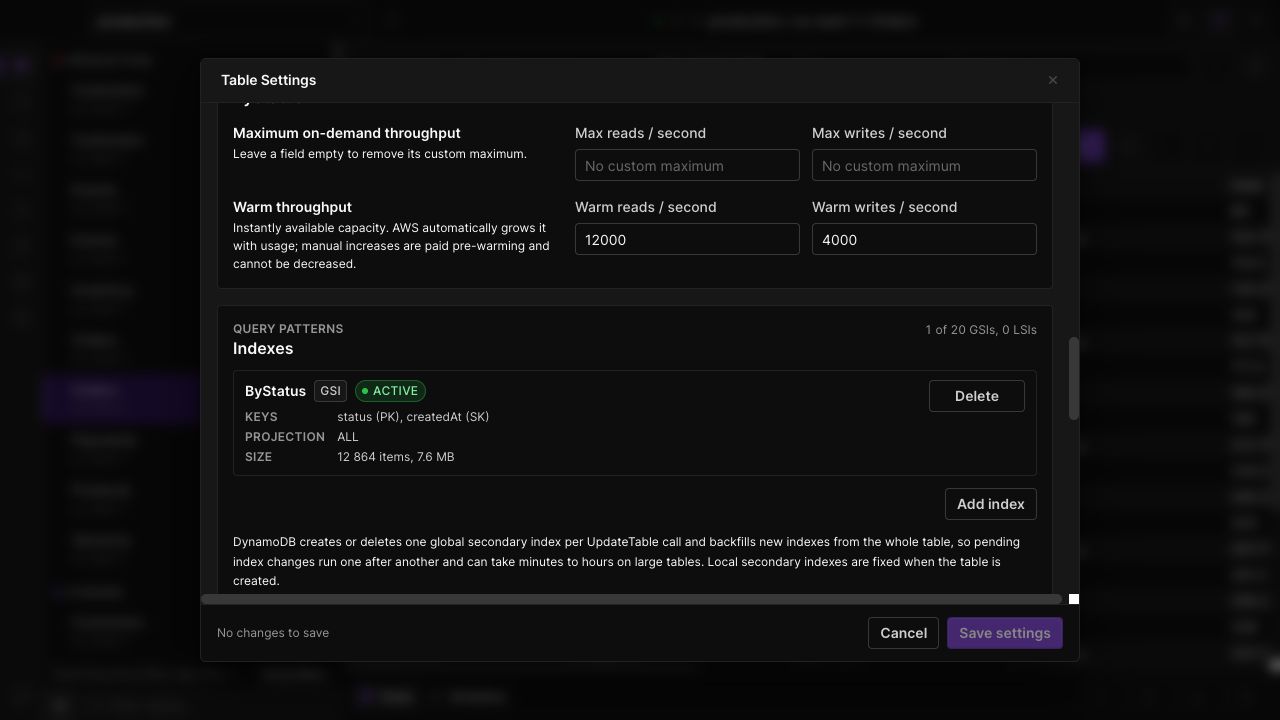
Manage secondary indexes
Configure a new GSI for your access pattern and track its creation and backfill status. Destructive index actions require an explicit confirmation.
Work across regions
Review and manage Global Tables replicas from the same table settings surface, using the selected AWS profile's permissions.
Keep configuration together
Inspect or edit table tags and resource policies alongside other table settings. Unsupported endpoint capabilities are hidden where appropriate.
IN THE APP
How it works
Open Dynobase and follow these steps to use indexes, replicas and table settings.
- 01
Open table settings
Open a table and use the settings control beside its location.
- 02
Select the configuration
Choose the relevant section for indexes, replicas, tags or the resource policy, and inspect the current configuration.
- 03
Review and apply
Enter the intended change, complete any required confirmation, then refresh or watch status while AWS processes the request.