
Automate work / NEW IN 3.0
Keep a recurring copy of your data.
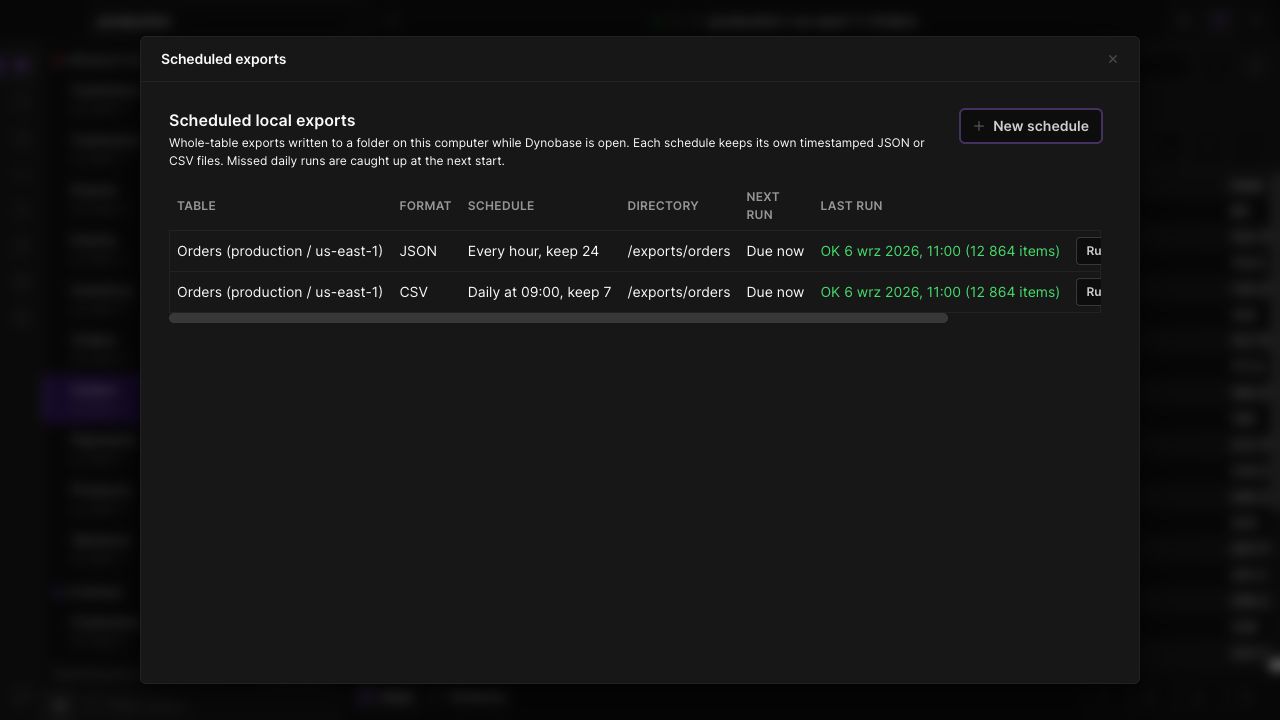
Schedule DynamoDB exports to local JSON or CSV files. Choose an interval, destination and retention count, then inspect the most recent run in Dynobase.
Choose the cadence
Run an export at an interval or a daily time. Keep separate schedules for different tables and file formats.
Control file retention
Select the local destination and how many scheduled output files to keep, so recurring exports have a defined retention policy.
Check the last run
Review status, item counts and timing alongside the next scheduled run. A schedule is useful only if you can see whether it succeeded.
IN THE APP
How it works
Open Dynobase and follow these steps to use scheduled local exports.
- 01
Open scheduled exports
Open S3 Imports and Exports in the left navigation and find Scheduled local exports.
- 02
Create a schedule
Choose a table, JSON or CSV, a destination directory, the schedule and retention count.
- 03
Keep Dynobase running
Enable the schedule and inspect its last-run result and next-run time from the same panel.