
Query and edit / NEW IN 3.0
Save the queries you use every day.
Combine visual filter groups, choose operators for real-world data, and save parameterized favorites that prompt for values when you run them.
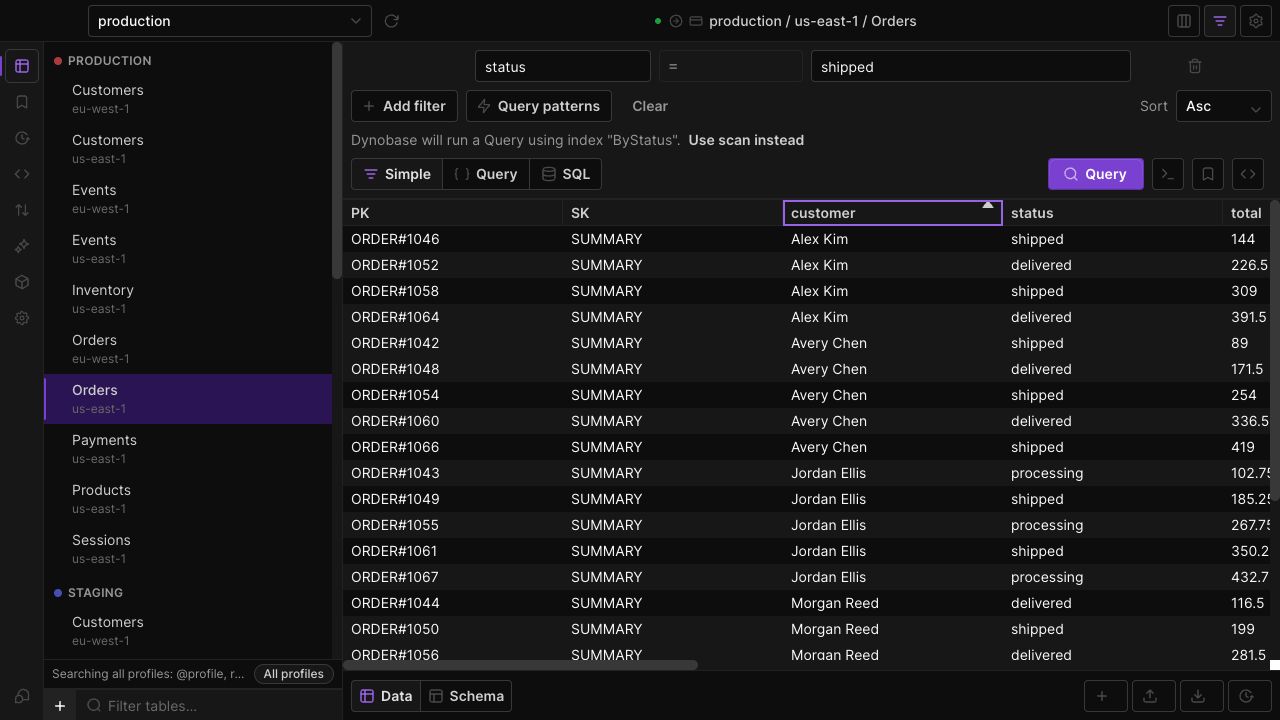
Express richer conditions
Use AND/OR groups and operators such as Contains Any, Contains All, Is Null, Type Is and Size. Build conditions without hand-writing every expression.
Use the relevant index
Dynobase can select a matching index from your key conditions. Review the chosen index and whether the operation will be a Query or Scan before running.
Save repeatable workflows
Add placeholders such as {{customerId}} to a favorite. Enter the value when prompted rather than making a separate favorite for every customer.
IN THE APP
How it works
Open Dynobase and follow these steps to use advanced filters and favorites.
- 01
Build your conditions
Open a table and add attributes, operators and values in the visual query builder. Group related conditions where needed.
- 02
Check the operation
Review the selected index and Query or Scan action, especially when filtering on a non-key attribute.
- 03
Save a favorite
Save the query with named placeholders for changing values. Select the favorite later and supply its parameters.