
Explore data / NEW IN 3.0
See exactly what changed.
Compare two DynamoDB items side by side, follow changes into nested attributes, or review a saved before-and-after snapshot from item history.
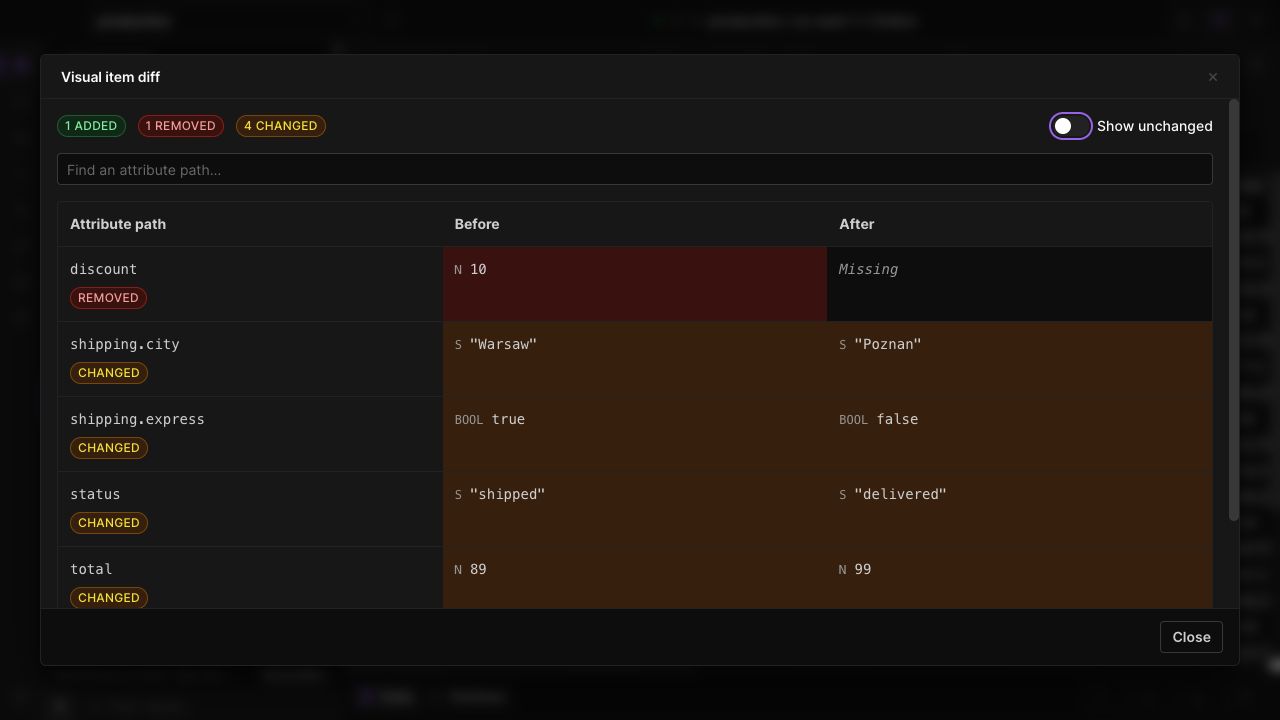
Compare complete values
Inspect additions, removals and edits inside maps and lists. Distinguish a missing attribute from one explicitly set to null.
Respect DynamoDB types
Compare exact numeric values and treat sets as unordered collections. A reordered set should not look like a meaningful data change.
Connect changes to history
Open a recorded item change to inspect its before-and-after snapshots. Where undo is available, review the change before issuing another write.
IN THE APP
How it works
Open Dynobase and follow these steps to use visual item diff.
- 01
Pick two items
Select exactly two items in the data grid, or select two semantic search results.
- 02
Open the comparison
Choose the compare action and inspect the changed paths and side-by-side values.
- 03
Review a previous edit
For changes recorded by Dynobase, open item history to inspect the saved before-and-after values and available undo action.