
Query and edit / NEW IN 3.0
Make the same change once.
Apply attribute changes to selected DynamoDB items or matching results, review the scope before writing, and inspect recorded item changes afterward.
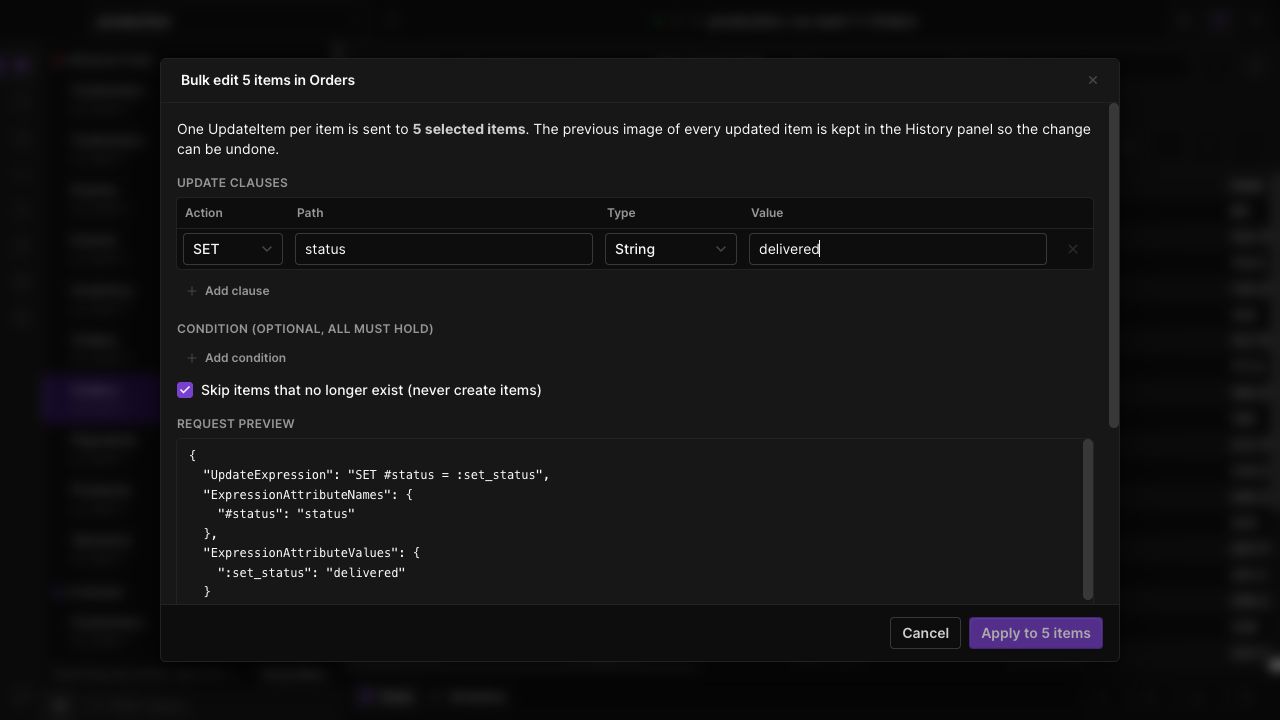
Choose the scope
Work on a handful of selected rows or use the all-matches workflow. The scope is explicit so a small edit does not silently become a broad update.
Update shared attributes
Configure attribute changes together rather than opening each item. Review the operation and the affected set before starting writes.
Review the result
Inspect recorded before-and-after values in item history. Use the visual diff and available undo controls when you need to revisit a change.
IN THE APP
How it works
Open Dynobase and follow these steps to use bulk editing and item history.
- 01
Select your items
Select rows in the data grid, or prepare the filter for the all-matches operation.
- 02
Configure the change
Open Bulk edit, choose the attributes to update and review the scope shown in the dialog.
- 03
Apply and inspect
Confirm the operation, check the result, and use item history to inspect recorded changes.