
DynamoDB Eventually vs Strongly Consistent Reads

Written by Kavindu Gunathilake
Last updated: October 23rd, 2026
DynamoDB reads are eventually consistent by default and can return an older committed item after a successful write. Set ConsistentRead: true on a supported table or local secondary index read to see all prior successful writes. Strong reads cost twice as much read capacity as eventual reads; global secondary indexes and DynamoDB Streams do not support this option.
Read consistency
Read consistency describes which committed version a request may observe. It does not describe whether a write is durable: a successful DynamoDB write is durably persisted. Both eventual and strong reads return committed item values, rather than exposing a partially written item.
Within a Region, DynamoDB stores data across multiple Availability Zones. That is different from a global table, which replicates across Regions and has its own consistency mode. Avoid inferring cross-Region behavior from a single-Region read flag.
The AWS read consistency documentation describes read-committed isolation: an item can change immediately after you read it. A strong read does not reserve a version for your next write.
Why is read consistency important?
After saving a form, a user expects the next screen to show the saved values. An eventual read immediately afterward may briefly show the old values or report that a newly created item is absent. A strong base-table read solves that read-after-write requirement when the write and read use the appropriate consistency scope.
Inventory and account balances need an additional safeguard. Reading a balance strongly does not prevent another request from spending it before you submit your update. Put the sufficient-balance or stock condition on the write itself, or use a transaction for a multi-item rule. See conditional writes.
Eventual consistency vs strong consistency
| Question | Eventually consistent | Strongly consistent |
|---|---|---|
| Default for ordinary reads? | Yes | No, request it explicitly |
| Can miss a recently successful write? | Yes | No, within the read's supported consistency scope |
| Can return uncommitted changes? | No | No |
| Capacity for one item up to 4 KB | 0.5 read units | 1 read unit |
| Table reads | Supported | Supported |
| Local secondary index reads | Supported | Supported |
| Global secondary index reads | Supported | Unsupported |
| Holds a lock for a later update? | No | No |
| Whole-table snapshot? | No | No |
Eventual consistency
An eventually consistent read may already return the latest item. Its contract simply allows an earlier committed version. Retrying later normally observes the change, but DynamoDB does not provide a fixed per-item propagation delay that you can safely replace with a hard-coded sleep.
This works well for a catalog, historical reporting or independent entities whose newest change is not required for the current task. An eventual read can also be acceptable for an editable form if the save uses a version condition and the UI handles conflicts.
Strong consistency
A strong read reflects writes that successfully completed before that read. If a write overlaps the read, the result depends on their ordering. A later write can make the value obsolete as soon as the response reaches your application.
Strong reads are useful for authoritative reads after a save, checking the current state of an order, or a workflow that must observe an earlier completed step. Their extra capacity cost is explicit; claims that eventual reads are always faster by a particular amount are not a service guarantee. Measure latency for your workload and Region topology.
Which APIs accept ConsistentRead?
| Operation | Where to set it | Important restriction |
|---|---|---|
GetItem | Request-level ConsistentRead: true | Base table, complete primary key required |
Query | Request-level ConsistentRead: true | Table or LSI only; not a GSI |
Scan | Request-level ConsistentRead: true | Table or LSI only; item consistency, not snapshot isolation |
BatchGetItem | Inside each table's entry in RequestItems | Can choose differently for each table |
PartiQL ExecuteStatement for a read | Request-level ConsistentRead: true | The target's consistency restrictions still apply |
PartiQL BatchExecuteStatement reads | Per-statement ConsistentRead | Each statement is an independent read |
TransactGetItems | No ConsistentRead switch | Transactional read of a specified set of items |
DynamoDB Streams GetRecords | No such option | Reads a change log, not a current item snapshot |
A GSI is maintained asynchronously. Passing ConsistentRead: true to its Query or Scan causes a validation error. Reading the base table strongly can verify a key found in a GSI, but it cannot discover an item that the GSI has not indexed yet. Design a base-table access path for workflows that must find a just-written item immediately.
SDK v3: strongly consistent GetItem
This example keeps the Vehicle table's composite key: EngineNo is the partition key and Model is the sort key. The document client accepts native JavaScript strings.
An absent Item is a successful read that found no matching item, not an SDK error. Ensure that the Region, table and full key match those used for the write.
boto3 and AWS CLI v2
BatchGetItem configuration
The ConsistentRead flag belongs inside the table entry, not at the top of a batch request:
Retry UnprocessedKeys with backoff before treating a batch as complete. Results are not ordered like the input keys. A strongly consistent batch is still a set of individual reads, not a transactional snapshot; use TransactGetItems for an atomic view of a known item set. The BatchGetItem reference covers partial results.
RCU cost math
For a single GetItem, round the item size up to the next 4 KB. Multiply that number by 0.5 for eventual consistency, 1 for strong consistency, or 2 for a transactional read. In provisioned mode, an RCU is that unit of capacity per second; in on-demand mode, the same calculation gives read request units.
| Item size | Eventual read | Strong read | Transactional read |
|---|---|---|---|
| 1 KB | 0.5 | 1 | 2 |
| 4 KB | 0.5 | 1 | 2 |
| 6 KB | 1 | 2 | 4 |
| 12 KB | 1.5 | 3 | 6 |
For example, 100 strongly consistent reads per second of 6 KB items need 200 RCUs before other traffic. The same eventual workload needs 100 RCUs. A projection that returns only one attribute does not reduce the charge below the size of the item read.
BatchGetItem rounds each item separately. Query and Scan calculate capacity from the data they evaluate before filtering, using their documented request rounding rules. Do not multiply the count of returned items by one fixed unit when sizes differ or filters discard results. The capacity calculator helps estimate item sizes.
Query, Scan and snapshot limits
Query narrows reads through a partition key and optional sort-key condition. Scan examines items throughout the target table or index. A filter runs after that work, so a selective scan filter does not make a scan cheap. Compare the access patterns in Query vs Scan.
The following screenshots show an older Dynobase interface: a key-based query followed by a scan with filters. They illustrate the access-pattern difference, not a ConsistentRead setting or the current application layout.
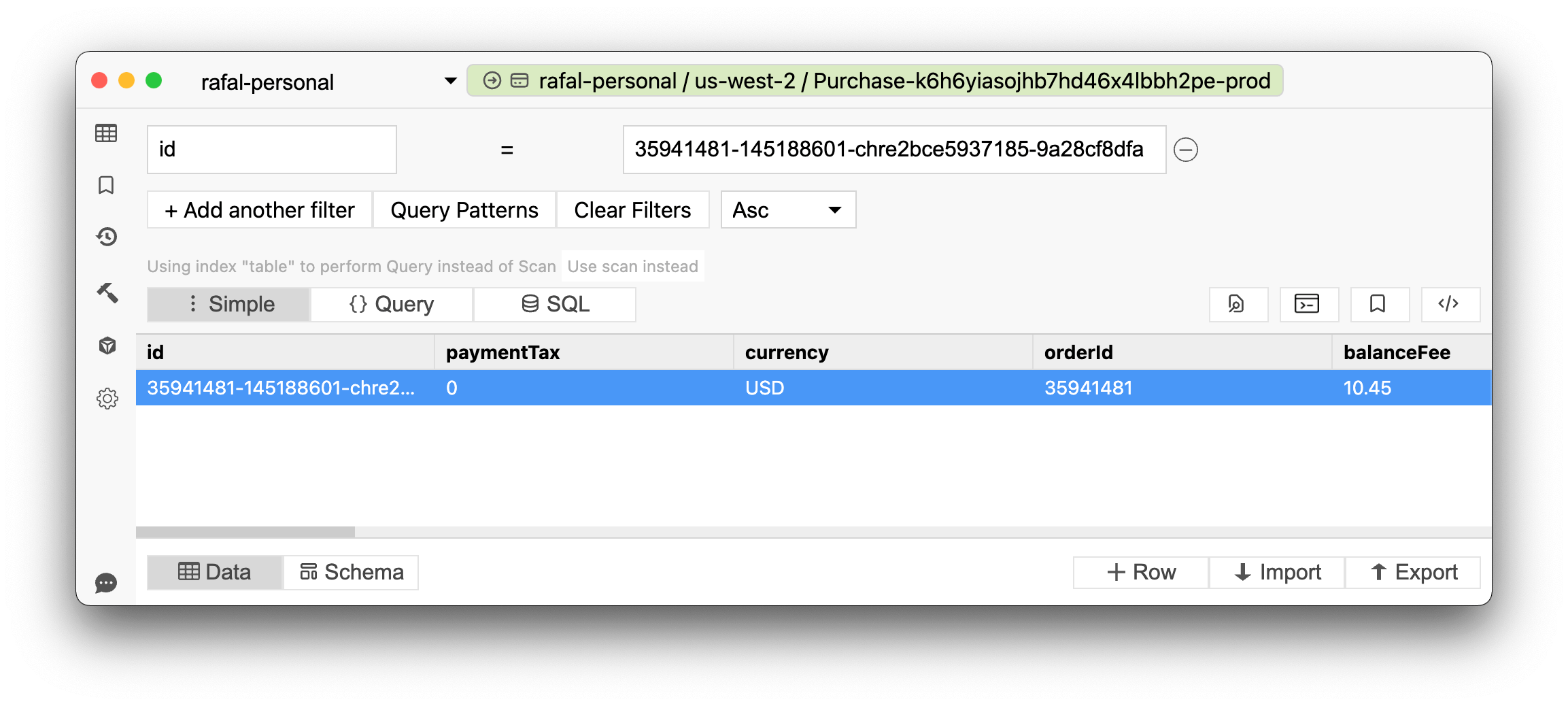
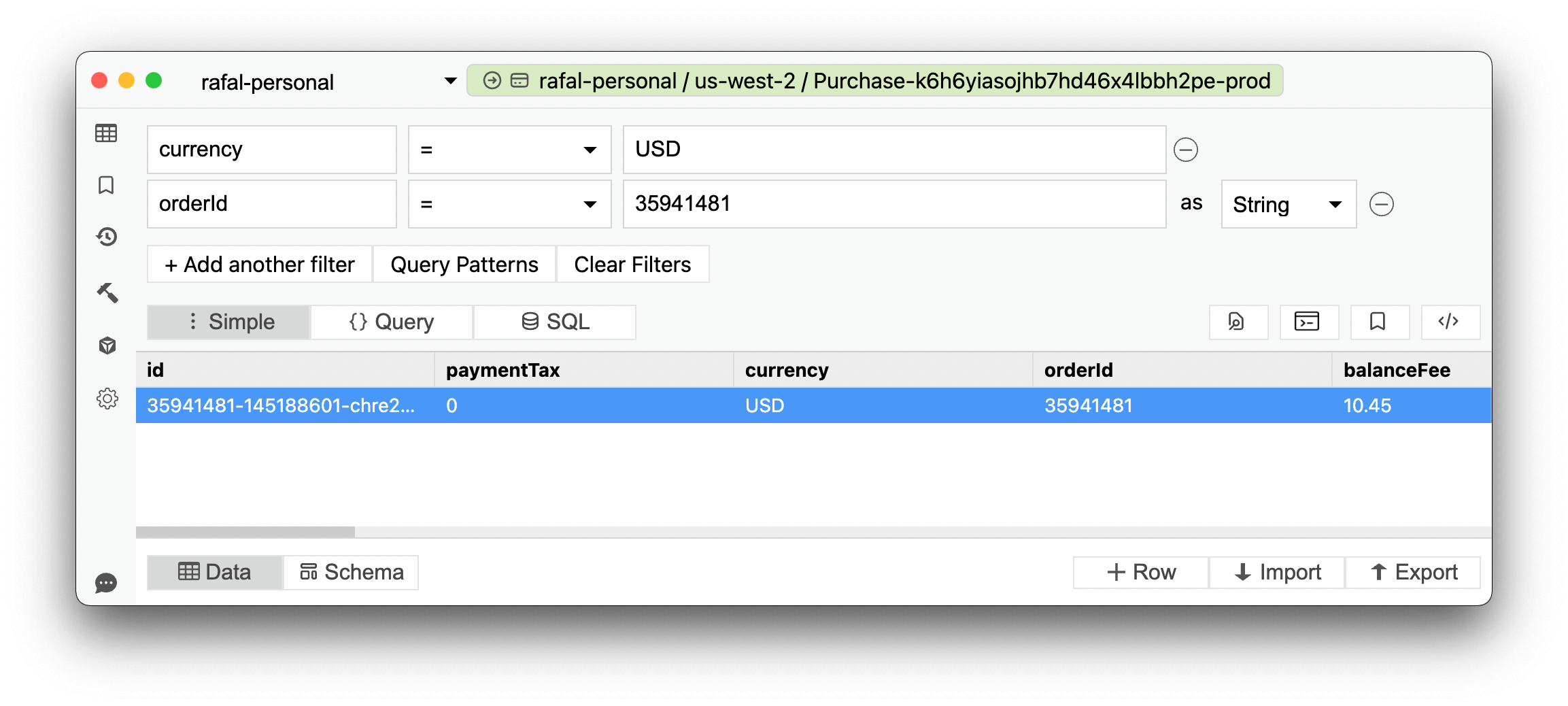
A strongly consistent scan does not freeze the table. Items read at different times can reflect different stages of concurrent activity. AWS explicitly states that Scan does not provide snapshot isolation, even when ConsistentRead is true. Pagination does not change that rule.
Global tables: MREC vs MRSC
Global tables support two consistency modes selected when the global table is created. You cannot mix them across replicas or switch an existing global table's mode in place.
- Multi-Region eventual consistency (MREC): writes replicate asynchronously. A strong read in the writing Region observes a successful local write, but a strong read in another Region can miss it until replication arrives. Last-writer-wins reconciliation resolves concurrent modifications.
- Multi-Region strong consistency (MRSC): writes replicate synchronously to at least one other Region before success, and a strong read from any replica can observe the latest committed state. Ordinary reads still need
ConsistentRead: trueto request that guarantee. GSIs remain eventually consistent.
MRSC uses three Regions, with either three replicas or two replicas and a witness. It does not support TTL, LSIs or DynamoDB transactions. Availability and topology restrictions belong in the global-table design decision; setting a read flag on MREC does not convert it into MRSC. See AWS's global-table consistency modes.
Choosing a read-after-write strategy
- Wait for the write's successful response before issuing the dependent read.
- Use
ReturnValues: "ALL_NEW"onUpdateItemif the write response itself supplies what the screen needs. - Otherwise read the base table strongly using its full key, in the writing Region for MREC.
- If the application reads through a GSI or cache, account for that layer's freshness separately.
- Protect subsequent mutations with conditions; do not treat the read as a lock.
For an enterprise screen reading unrelated FixedAsset data while another user edits CustomerOrder, eventual consistency may be sufficient. For checkout inventory, a strong read improves the displayed state, while a conditional decrement enforces the stock limit. The business rule decides the write protection; the display's freshness requirement decides the read mode.
Frequently Asked Questions
Is DynamoDB strongly consistent?
What is the default DynamoDB read consistency?
How much more does a strongly consistent read cost?
Does ConsistentRead make a scan a snapshot?
Which DynamoDB operation is most read-intensive?
Does a strong read prevent lost updates?
Dynobase is a Professional GUI Client for DynamoDB
Start your 7-day free trial today
Product Features
DynamoDB Tools
- SSH GUI Client
- Chat With Cloud
- MongoDB GUI Client
- AWS Cost Monitoring
- DynamoDB Query Builder
- DynamoDB Code Examples
- DynamoDB Node.js Queries
- DynamoDB JSON Converter
- DynamoDB UUID Generator
- DynamoDB Local Admin GUI
- DynamoDB Pricing Calculator
- DynamoDB Single-Table Design
- Best DynamoDB GUI Clients
- Dynobase vs DynoTable